To activate permanent Windows and Office licenses, there are many methods such as Active by phone or using MAK keys with remaining activations. This article will guide you on how to activate Windows 10 and Office 2016 via web in the fastest and simplest way. Other versions follow similar steps.
Guide to Activate Windows and Office Licenses via Web
Prerequisites: A MAK key with 0 remaining online activations (not blocked).
List of MAK keys for Windows 7, 8, 8.1, 10 and Office 2010, 2013, 2016 is regularly updated here:
Tool to check remaining activation count for MAK keys: PIDKey_v2.1.2.1015.zip
Install Hotspot Shield Free VPN Proxy for Chrome: This Chrome extension helps access the activation webpage below (as Vietnam IPs are blocked).
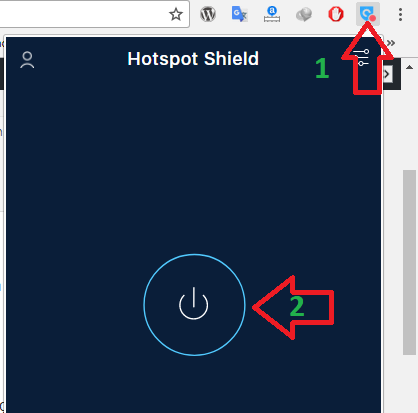
After installing, configure as shown in the image to run the extension.
Activation web link: goo.gl/Trw4VB
Activate Windows via Web
Step 1: Open RUN dialog (Windows + R). Type slui 3 then enter your key and click Next, then click Activate to add the key.
If you are lucky, it will activate online immediately at this step.
Step 2: Type slui 4, a window pops up, select any country.
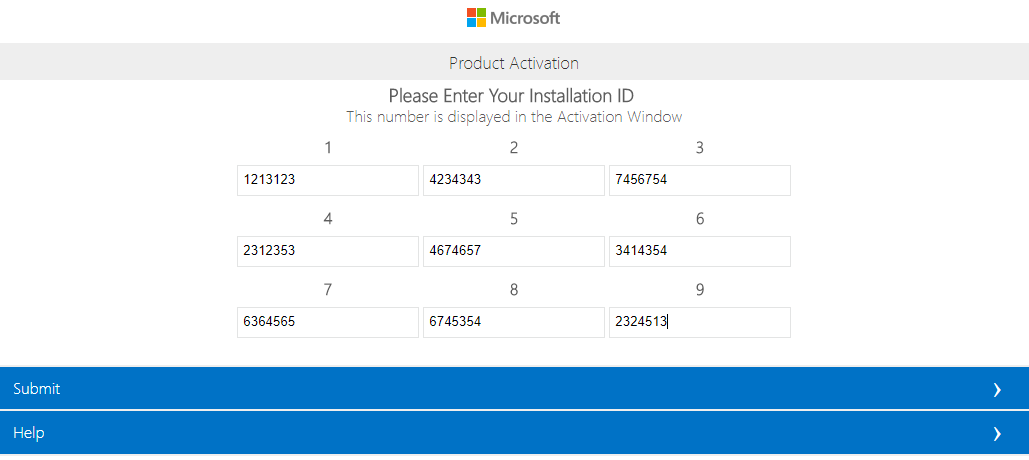
Copy the 9 sets of numbers shown in Step 2, go to the Windows and Office activation website
Select 7 Digits for Windows 8/8.1/10 or Office 2013/2016.
Select 6 Digits for Windows 7 or Office 2010.
In general, select the corresponding digit count matching your Step 2 Installation ID.
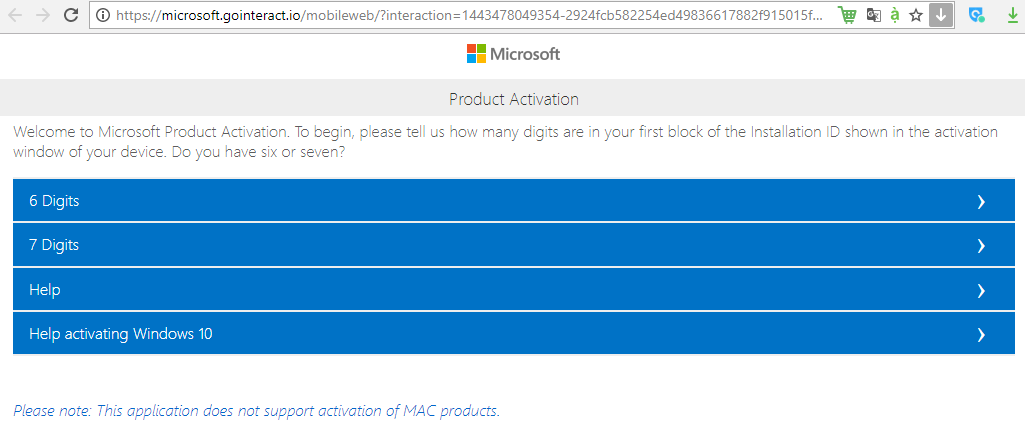
Then enter the 9 sets of numbers and click Submit
And here is the result: a Confirmation ID to activate as shown below.
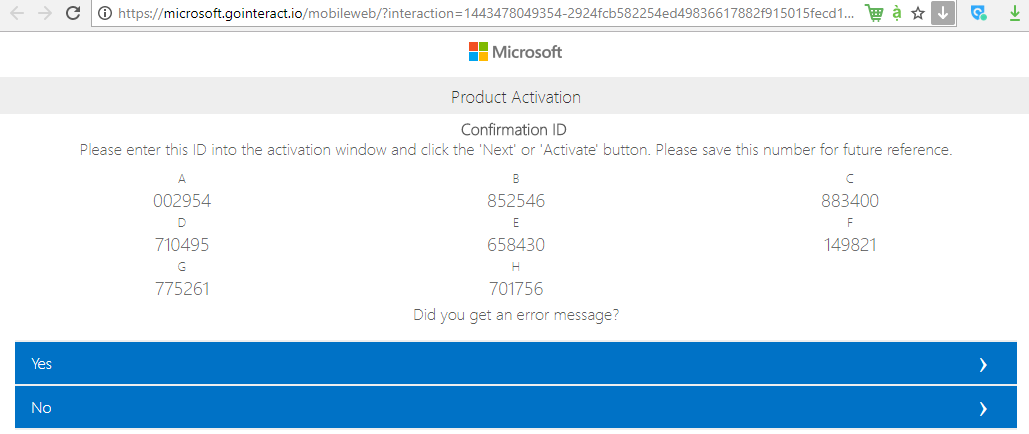
Paste this Confirmation ID into the corresponding boxes in Step 3 and click Activate to complete.
Activate Office License via Web
Open Word, go to File > Help/Account, select Change product key and enter your new key.
Then close Word and reopen it; a dialog will appear. Select Activate by phone... and copy the Step 2 ID.
The remaining steps are similar to the Windows activation process above.