After installing VNPT fiber internet with an iGate GW040 modem, you may notice two Wi-Fi broadcast signals. One is your customized Wi-Fi network name, while the second named VinaphoneWifi cannot be connected to. Logging in to the modem configuration using the default account (username and password admin) allows modifying settings, but VinaphoneWifi persists even after restarting or resetting the modem.
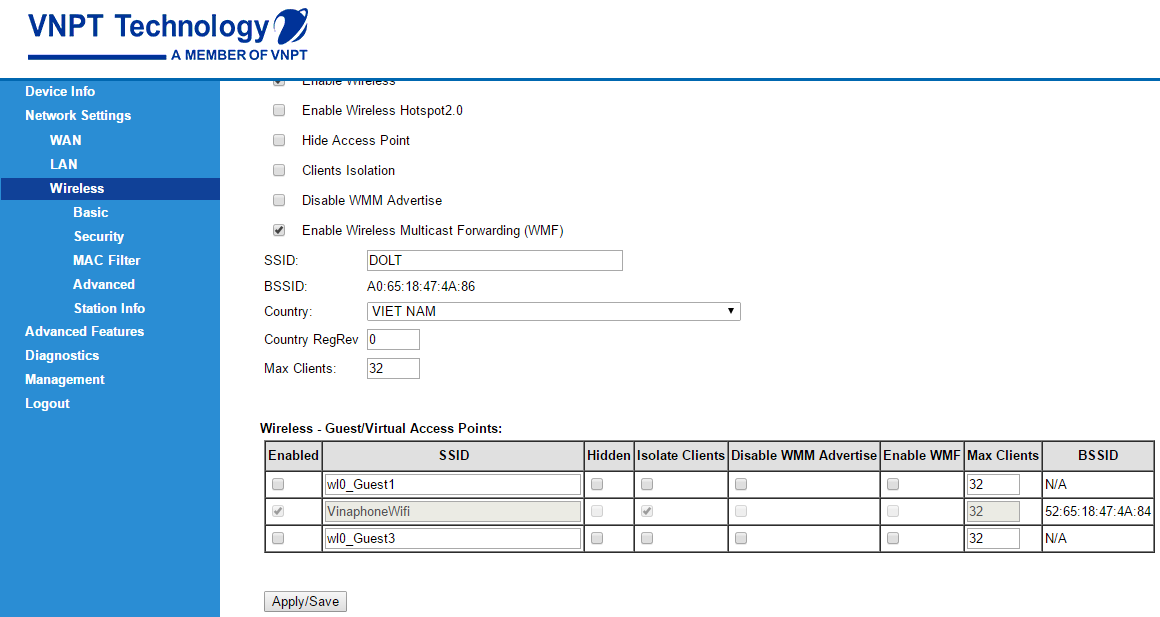
How to Disable VinaphoneWifi on VNPT iGate GW040 Modem Router
Open your browser and navigate to 192.168.1.1. If you are already logged in, click logout.
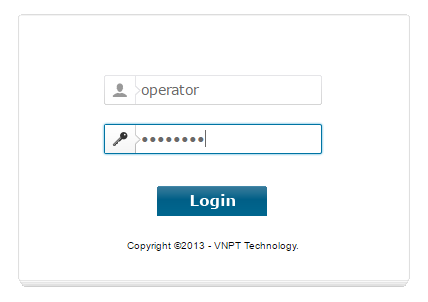
Enter both username and password as: operator
Once logged in with this account, you can freely edit or disable the Wireless - Guest/Virtual Access Points for VinaphoneWifi.
Note: If you intend to reset the iGate GW040 modem, create a backup first. Go to Management > Settings > Backup, click Backup Settings and save backupsettings.conf to restore later if needed. Alternatively, note down your SLIC code and PPP Username and Password.