Gifyoutube.com (rebranded to gifs.com) is an online tool to create animated GIFs from videos hosted on YouTube, Instagram, Vine, etc. This site allows creating animated GIFs from online videos quickly in a few simple steps to share with friends.
1. Create Animated GIFs Easily from YouTube Videos
Step 1: Go to YouTube and search for your desired video. Note that the tool supports video inputs up to 1 hour in length.
Step 2: In the browser address bar, insert gif directly before youtube.com/ and press Enter.

Step 3: You will be redirected to the main GIF creation editor:

Drag the timeline slider to set start and end timestamps, then click Create Gif.
Step 4: Your generated GIF will be hosted on gifs.com.
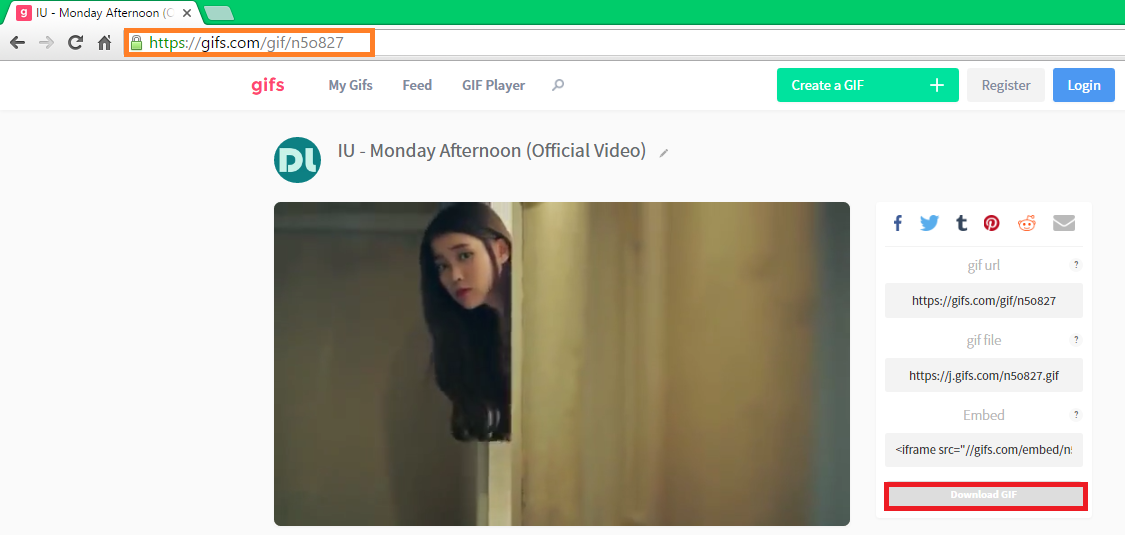
You can copy the GIF URL to share on social networks, or download the image file locally by clicking Download GIF.
ネットワーク
2. Create Animated GIFs from Instagram, Facebook, Vine Videos...
Navigate directly to gifs.com and paste your target video URL into the search box.
It parses video sources automatically. Then follow Step 3 above.
List of video platforms supported by gifs.com:
YouTube, Vimeo, Facebook, Vine, Instagram, Giphy, Imgur, CNET, Flickr, IMDb, and many others.