When starting to learn JAVA, everyone goes through their first HelloWorld program, learning to compile HelloWorld.java using javac and java commands in Command Prompt (CMD). You might encounter this error: "Error: Could not find or load main class HelloWorld". Fixing this Java error is very simple as it is a syntax mismatch error.
How to Fix Java "Error: Could not find or load main class HelloWorld"
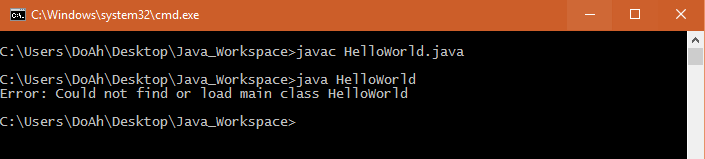
When running javac, no error appears, but running java afterwards produces the following output:
C:\Users\DoAh\Desktop\Java_Workspace>javac HelloWorld.java
C:\Users\DoAh\Desktop\Java_Workspace>java HelloWorld
Error: Could not find or load main class HelloWorld
C:\Users\DoAh\Desktop\Java_Workspace>
You need to change the class name to match the .java file name.
Example:
Inside file HelloWorld.java, you have the following code:
class HelloWorldApp {
  public static void main(String[] args) {
    System.out.println("Hello World!"); // Display the string.
  }
}
When you execute javac HelloWorld.java, Java creates a compiled file named HelloWorldApp.class (using the class name as the output filename).
Therefore, when you subsequently execute java HelloWorld, it throws "Error: Could not find or load main class HelloWorld" because HelloWorld.class does not exist.
To fix it, rename the file to HelloWorldApp.java or execute java HelloWorldApp instead.