When using temporary/disposable email addresses to register online accounts like Facebook, what happens if you trigger a security checkpoint or forget your password later? How can you recover a previously created temporary email address? This article guides you on how to recover temporary email addresses from 10minutemail.net.
Recovering Temporary Email Addresses on 10minutemail.net
Note: Temporary email addresses are stored in your browser history and local storage. Therefore, if you clear your browser history/cookies, previously generated emails cannot be restored.
To find a previous email address, visit: 10minutemail.net/history.html
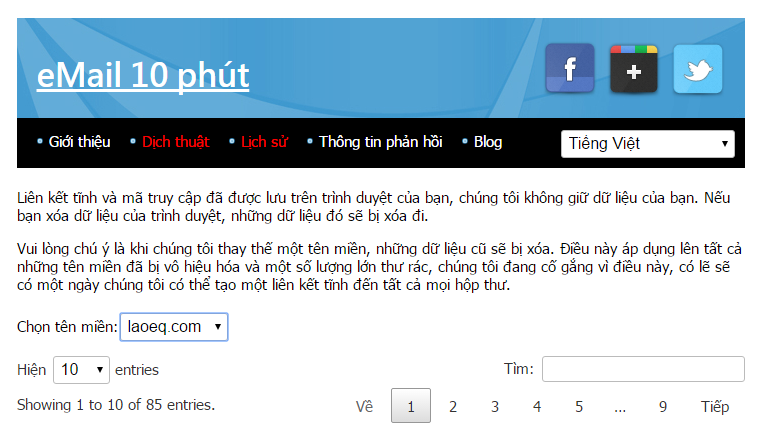
- Select the domain matching your email suffix (after
@). - Enter your email prefix into the search box.
- Once you locate the target email address, click the arrow button shown at position 3 in the image.
That's it! The email address is regenerated. Note that previous inbox messages will be cleared as it initializes a fresh inbox instance.
P.S.: Some other temporary mail services offer similar recovery history features.