Currently, the default Vietnamese input engine on macOS has quite a few annoying bugs. Today, I will guide you on how to fix this Vietnamese typing error by using an alternative app.
After trying out various apps, EVKey turned out to be the top choice that fixes almost all typing glitches. In addition, it allows automatic application exclusion, so you don't need to manually toggle Vietnamese input on and off.
Steps to Install Vietnamese Input Method on macOS
-
Download EVKey at this address: https://evkeyvn.com
-
Delete the default input method
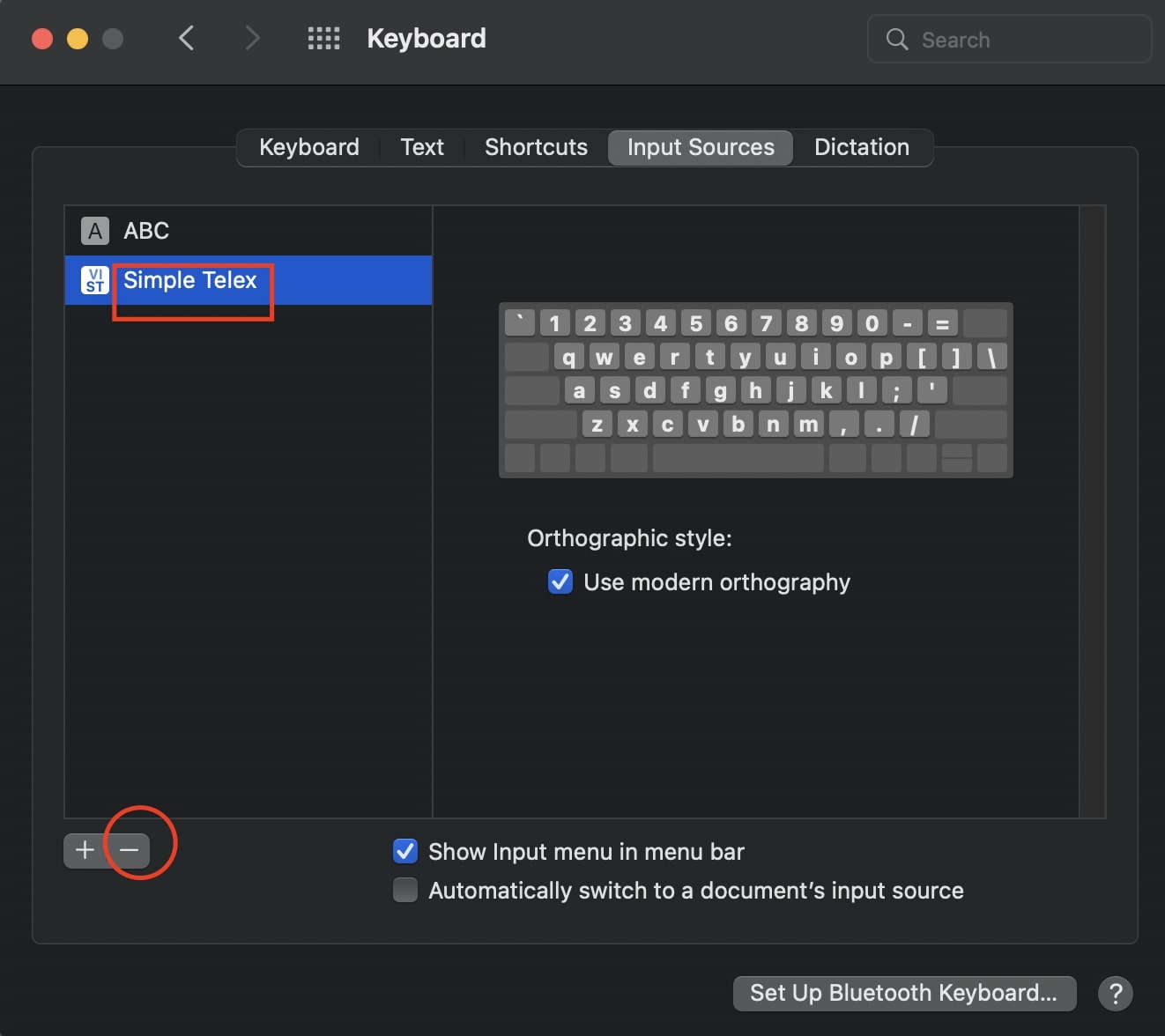
Configure the Input Method with the Following Steps
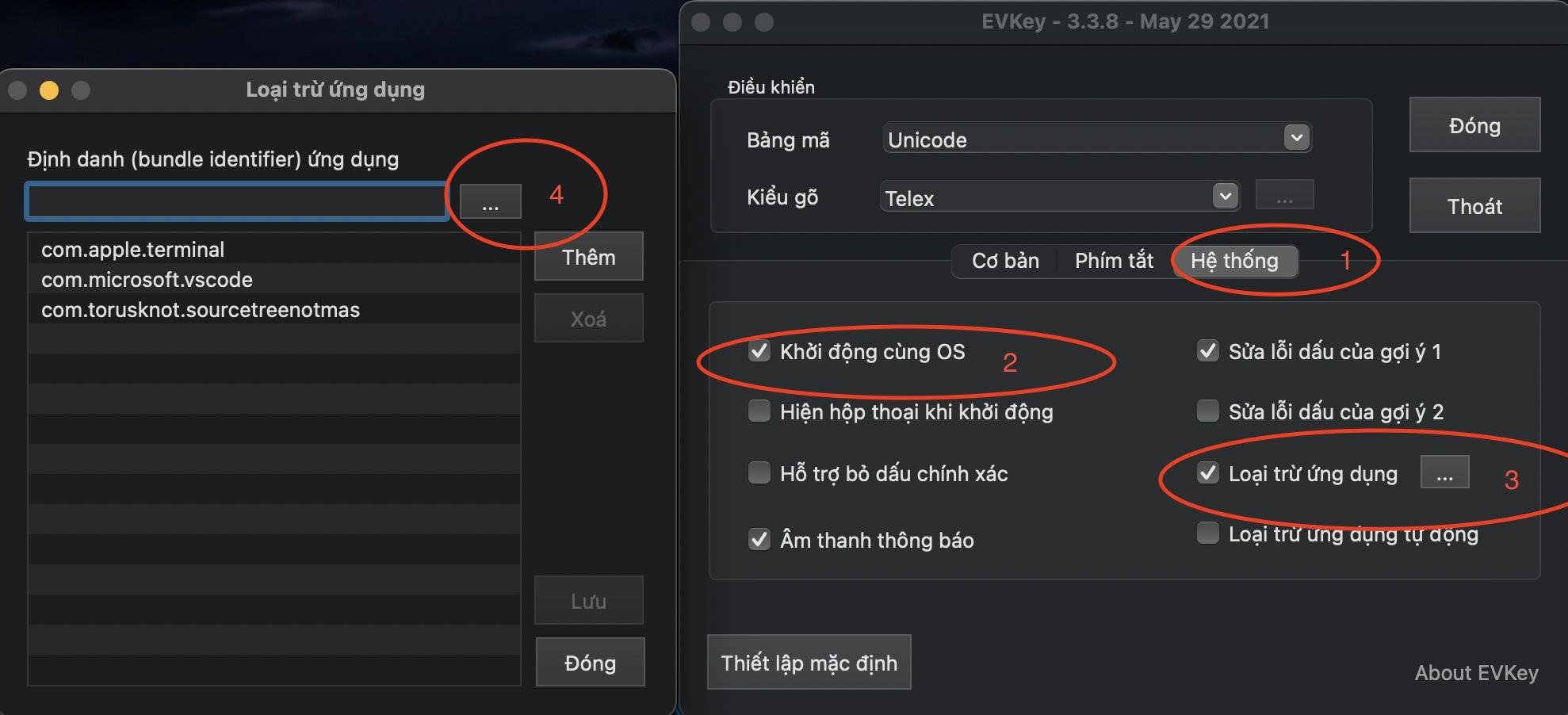
- Open EVKey and switch to the System tab
- Select start with OS and uncheck "Show dialog on startup" so that when turning on the computer, this window won't pop up.
- App exclusion is a very useful feature for developers.
- Select apps where Vietnamese typing should be disabled to exclude them, then save.