To convert your picture into text characters (ASCII art), you can use software like ASCII Generator. Now you can easily convert images to ASCII directly using Facebook and Instagram to generate beautiful artistic text representations. Simply upload your image to Facebook or Instagram.
Trick to Convert Images to ASCII on Facebook and Instagram
You might be surprised to learn that every image you upload to Facebook or Instagram contains an underlying ASCII art version. This happens because Facebook and Instagram automatically convert uploaded images into ASCII art versions behind the scenes.
A short post by Mathias Bynens on Twitter revealed that Facebook and Instagram secretly render ASCII versions of every uploaded image.
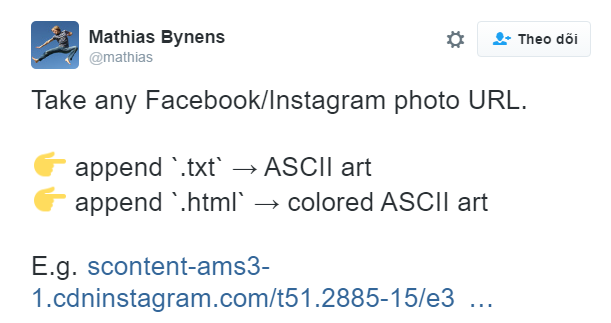
Users simply need to append .html after .jpg in the image URL on Facebook or Instagram.
Steps to Convert Images to ASCII with Facebook and Instagram
- In your browser (Chrome), go to Instagram or Facebook, open your image, right-click and select View Source / Inspect.
- Press
Ctrl + Fand search for.jpgto locate the direct image URL. Your URL will look like this: scontent-hkg3-1.cdninstagram.com/t51.2885-15/e35/12716568_1554646574862270_552019220_n.jpg - Copy and paste the image URL into a new browser tab. Then append
.htmlafter.jpgat the end and press Enter.
Result URL: scontent-hkg3-1.cdninstagram.com/t51.2885-15/e35/12716568_1554646574862270_552019220_n.jpg.html
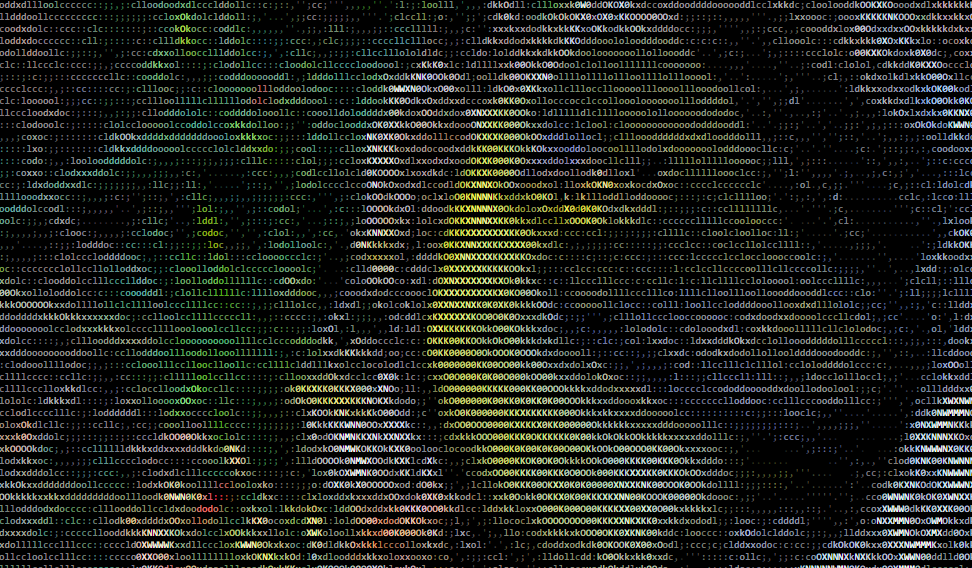
If you want color ASCII art, append .html to the end of the image URL. Appending .txt to the image URL on Instagram or Facebook renders a black-and-white ASCII version instead.
Note: For image to ASCII conversion to work, the post image must be set to Public. It will not work if there are extra parameters trailing .jpg. Finding direct image URLs on Instagram requires inspecting element source compared to Facebook.
Have you tried converting your images to ASCII art yet? Try it out!