OpenShift v3 no longer uses the SFTP file transfer protocol to manage files like OpenShift v2 did. Uploading source code can be difficult for those who know nothing about Docker. So today I will guide you on how to install PHP file manager on OpenShift v3, helping you upload source code quickly and easily.
Guide to Install PHP File Manager on OpenShift v3
Step 1: Create a PHP project with Git Repository Distro-Manager
We will use the file manager source code by author IzeroCs at: github.com/IzeroCs/Distro-Manager
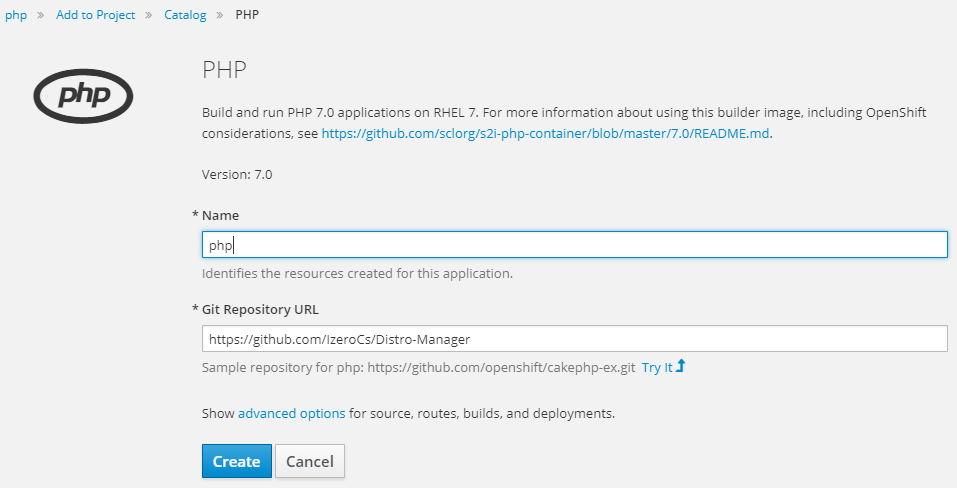
Fill in project name; in the * Git Repository URL line, enter the following link:
https://github.com/IzeroCs/Distro-ManagerThen click Create.
Wait a moment for the build process to complete; you will be assigned a URL pointing to your host as shown.
http://php-do.193b.starter-ca-central-1.openshiftapps.com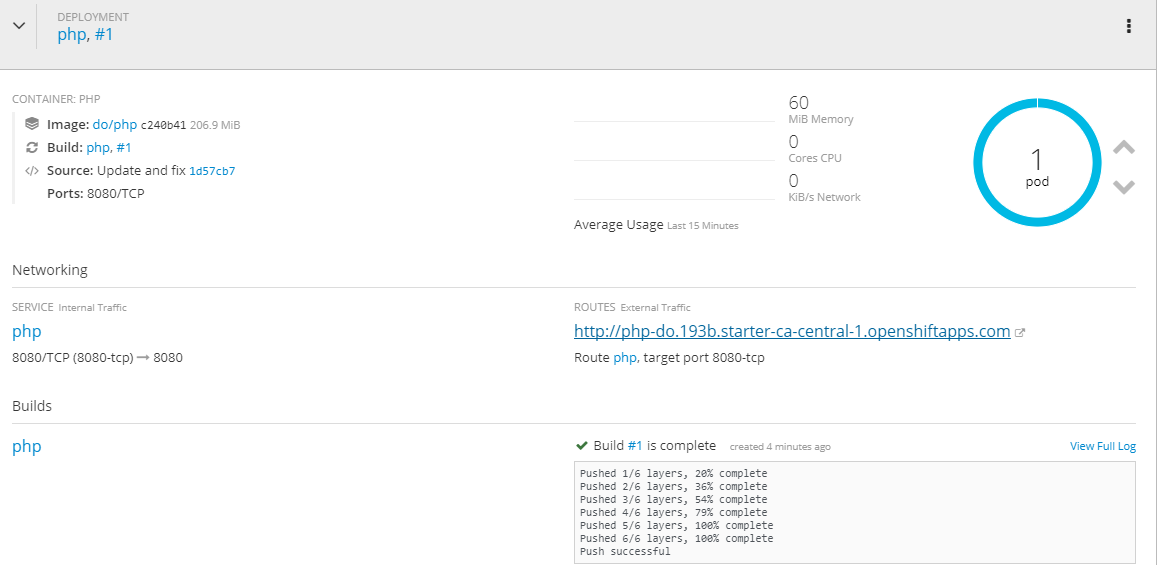
Step 2: Access PHP File Manager on OpenShift
Go to the newly assigned URL address, add /manager at the end of the path to access the host.
Example: http://php-do.193b.starter-ca-central-1.openshiftapps.com/manager
Enter the assigned default username and password. After logging in, you should change login credentials for security.
The interface after logging in looks like below.
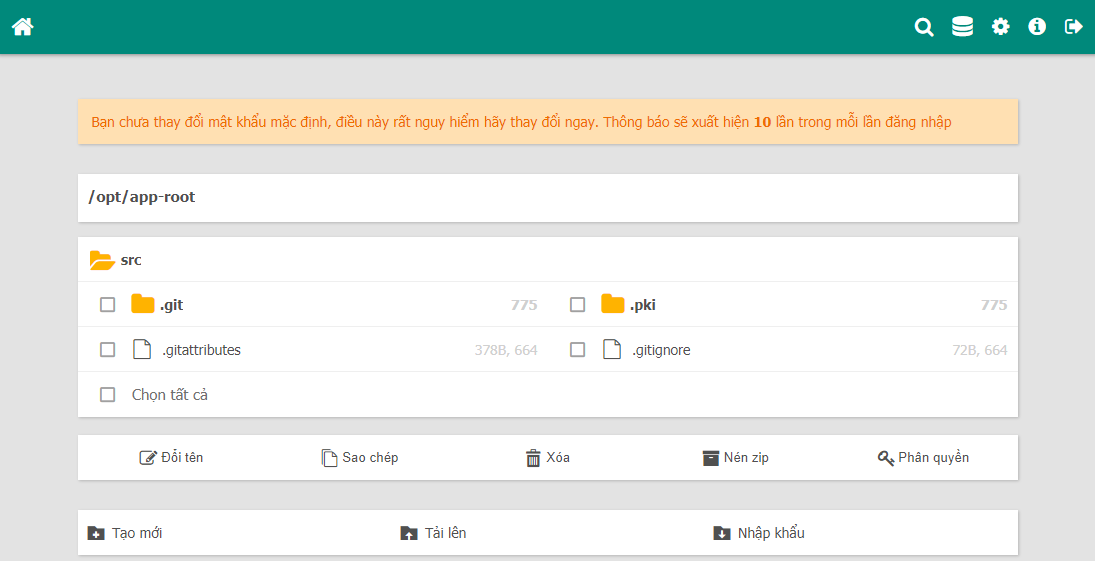
To upload code, compress everything into a .zip file for faster upload. Once uploaded, click on the archive file and choose extract.
Distro-Manager has all essential features for managing PHP files: rename, upload files, extract, permissions, delete, edit, copy, and create new files.